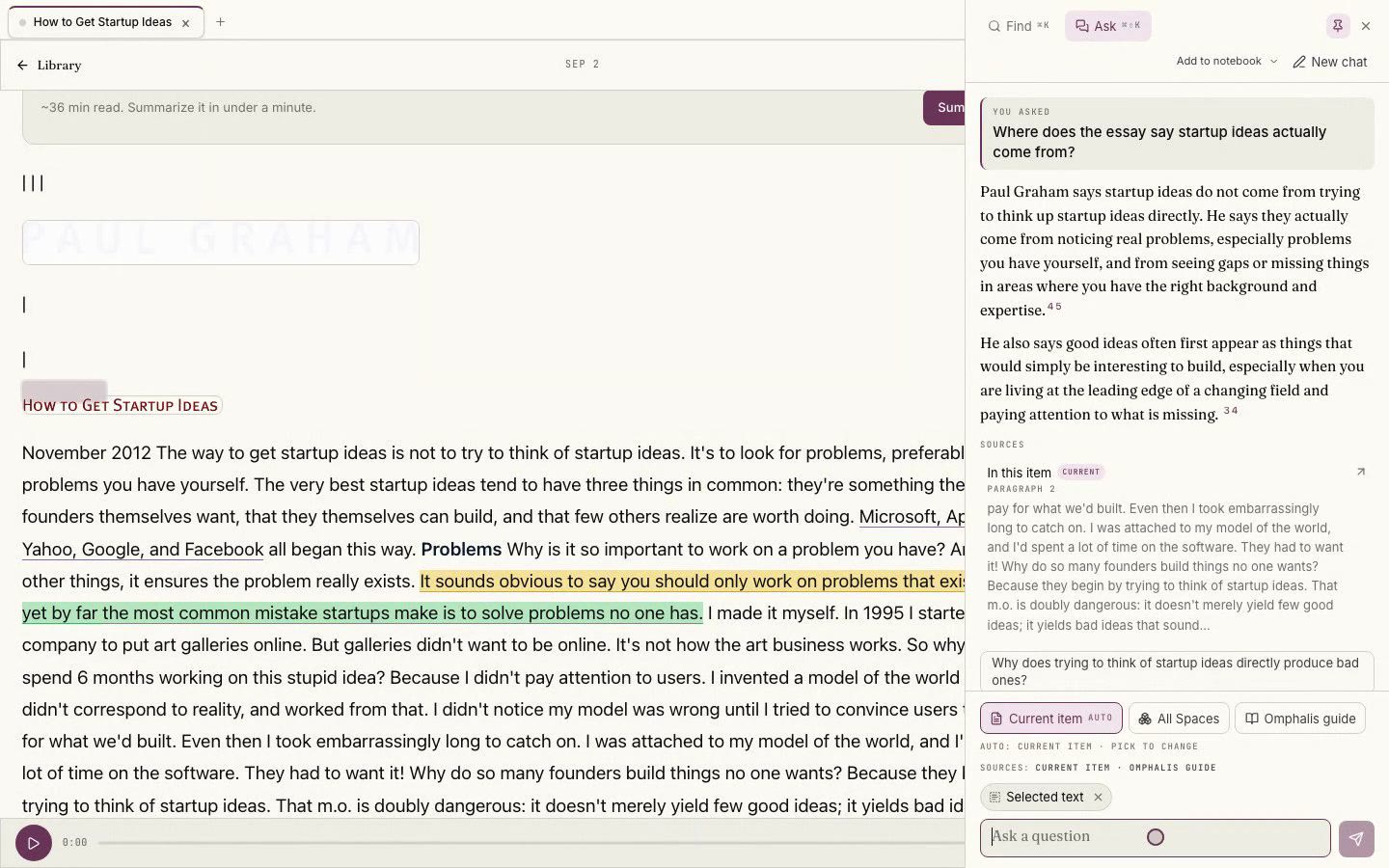
Ask a question
Last updated 2026-10-30
Ask lets you pose a question in plain language and choose what the answer draws on. Point it at the current item to stay inside the source you are reading, at the current Space to cover everything in that Space, or at all your Spaces for the widest view. You can also ask how Omphalis itself works, which draws only from this guide.
Every answer cites the passages it used, so you can open a source and check it. Ask is for questions you pose across your sources, which makes it different from Learn more: Learn more sits on a single passage you select and returns a deeper explanation of just that phrase in place. When the sources in scope do not answer a question, Ask says so plainly rather than guessing.
Open Ask from the command palette's Ask tab, or press Ctrl+Shift+K (Cmd+Shift+K on a Mac) from anywhere. When you open it while reading, it starts already pointed at the item in front of you. In the Ask box, type / to run a command: start a new chat, change the scope the answer draws on, add the thread to a notebook, or ask how Omphalis works. Type @ to name up to five Library items the answer must draw on, so you can point a question at exact sources. When a conversation is empty, a few starting questions are suggested from the piece itself.