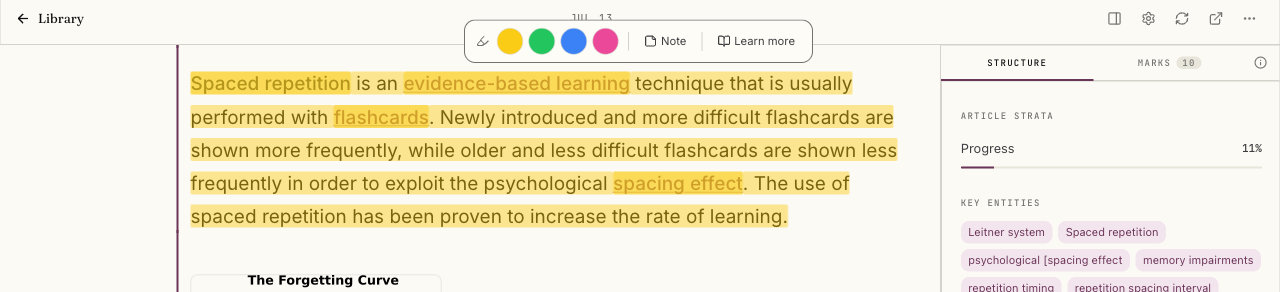
Highlight, tag, and note a passage
Last updated 2026-10-30
Your marks and the system's stay visibly distinct: a system Mark explains where a claim comes from or what a term means, while your own highlight records what mattered to you.
Select any passage to highlight it. Highlights can carry a color if you want your marks to carry meaning at a glance across an item.
Tag the highlight Important, Confusing, Disagree, or Use later, whichever names your reaction. Tags are optional, but they make a highlight easier to find again later.
Add a note to record what you were thinking. A note does more than sit beside the mark: adding one automatically keeps the mark, so a passage you cared enough to write about can never quietly disappear.