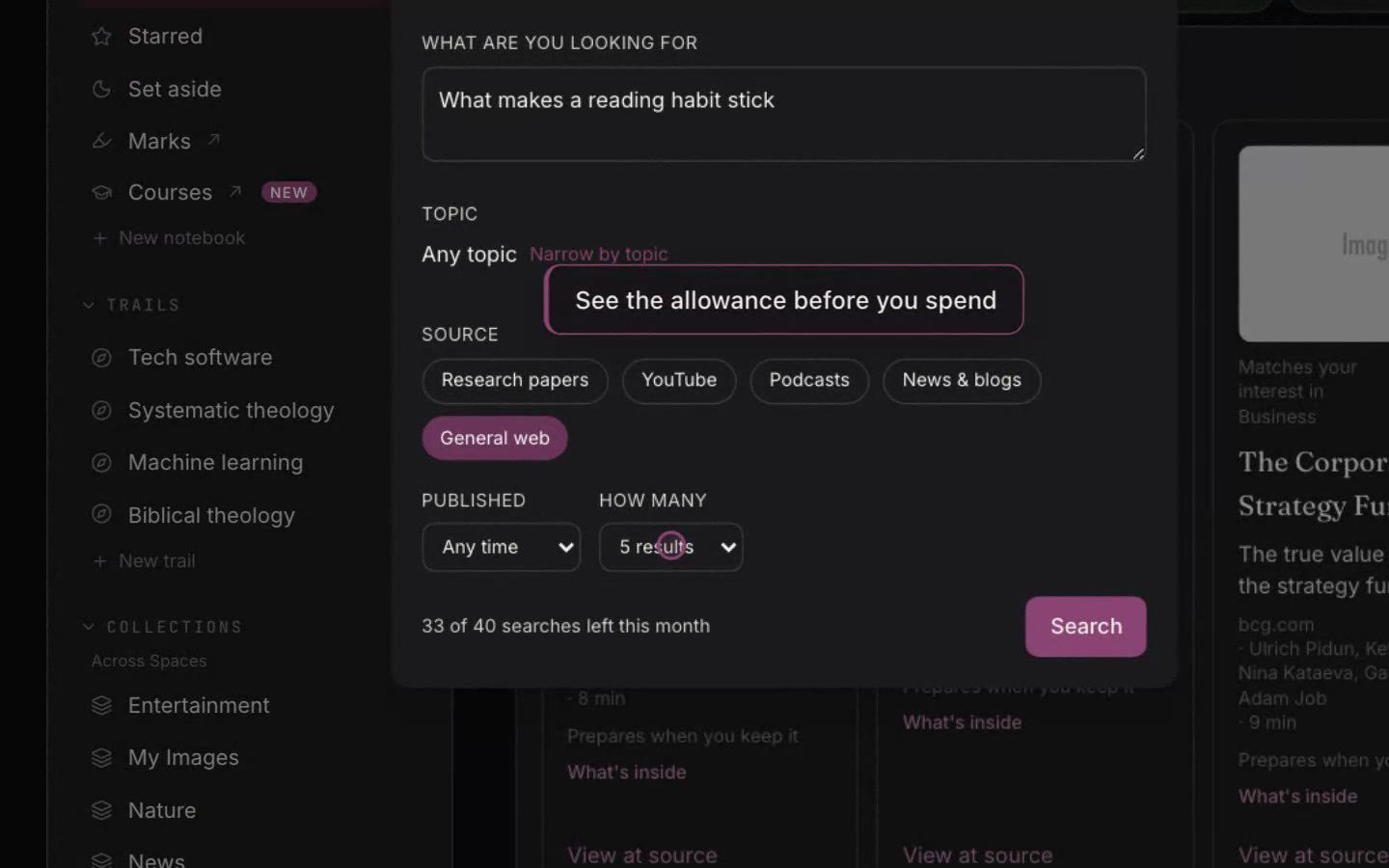
Search for sources on a topic
Last updated 2026-10-30
Discover anything runs a search on a topic you name and brings back candidates vetted for substance and recency. Where Discover suggests pieces on its own, this is the search you point: open it from the Discover anything door in Library, type what you are looking into, and it gathers articles, talks, and research papers that match.
Each candidate shows why it matched, so you can judge it before keeping anything. Keep and prepare moves a candidate into your Library like anything else, where Clean, Structure, and Marks are added. A candidate you already kept is marked as kept, so a reopened search never offers it twice.
A research paper resolves to the readable file when one exists, so what you keep is the paper itself rather than a landing page. When a page cannot become a readable item, the search refuses it honestly rather than keeping something broken, and it keeps the candidate's real title so you can find it yourself.
The same search can run inside a notebook as a cell, so the results sit beside the thinking that asked for them. Like any search across your sources, it is a starting point: keep what deserves a stable place, and let the rest go.